
Huenique Business
In development
Run your whole electrical business from one app
Huenique Business takes you from enquiry to quote, job, certificate and invoice, with RAMS, materials and your diary in the same place. It's made on the tools at Huenique Electrical, for sole traders and small teams.
Join the waiting list to be first in. We'll only use your details to contact you about the app. See our privacy policy. Already have access? Use Sign in.
Works in your browser on iPhone, iPad, Android and computers. Add it to your home screen like an app.
Screenshots of the real app
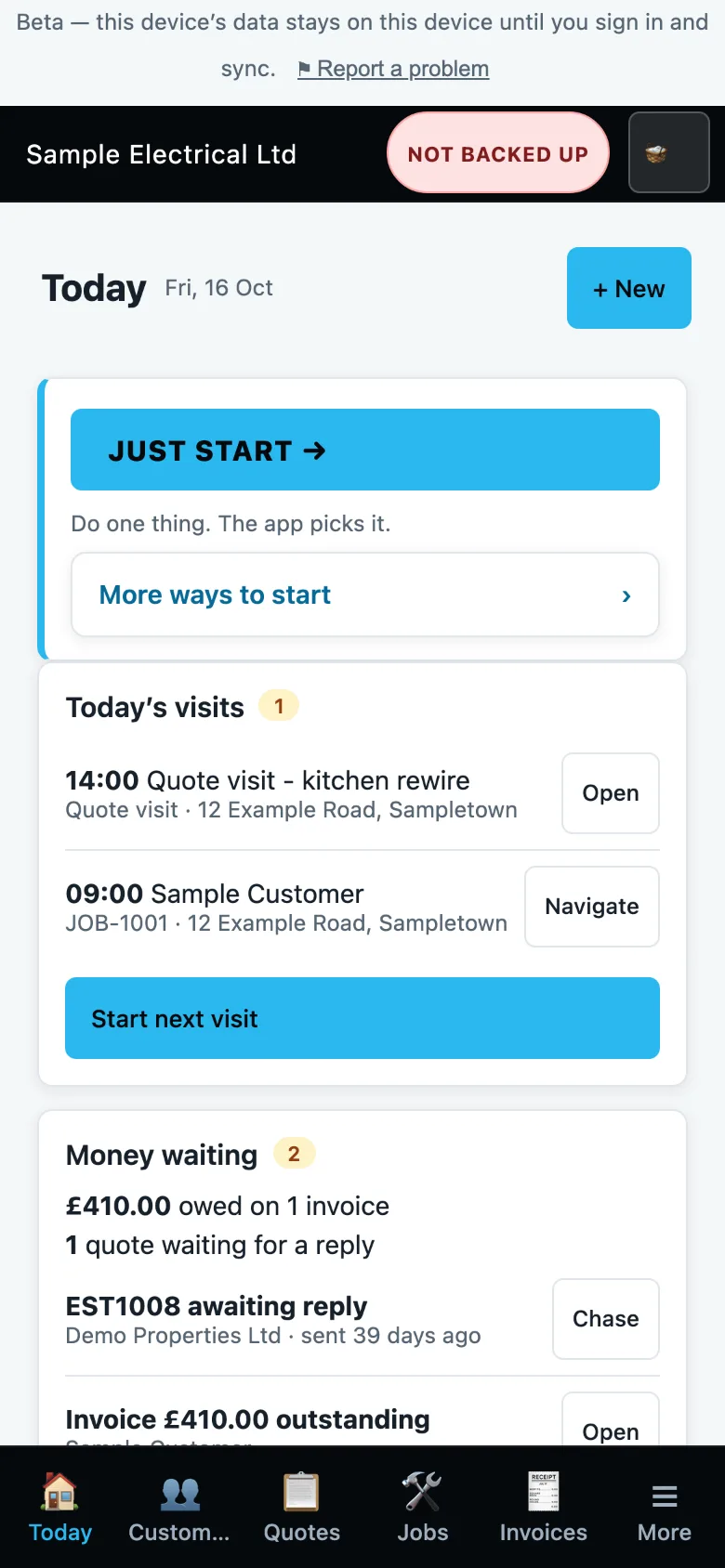
What the app does today while it is in development. These are real screens, shown with sample data. Every part of the job lives in one record, so nothing gets typed twice.
Open the app and see your day
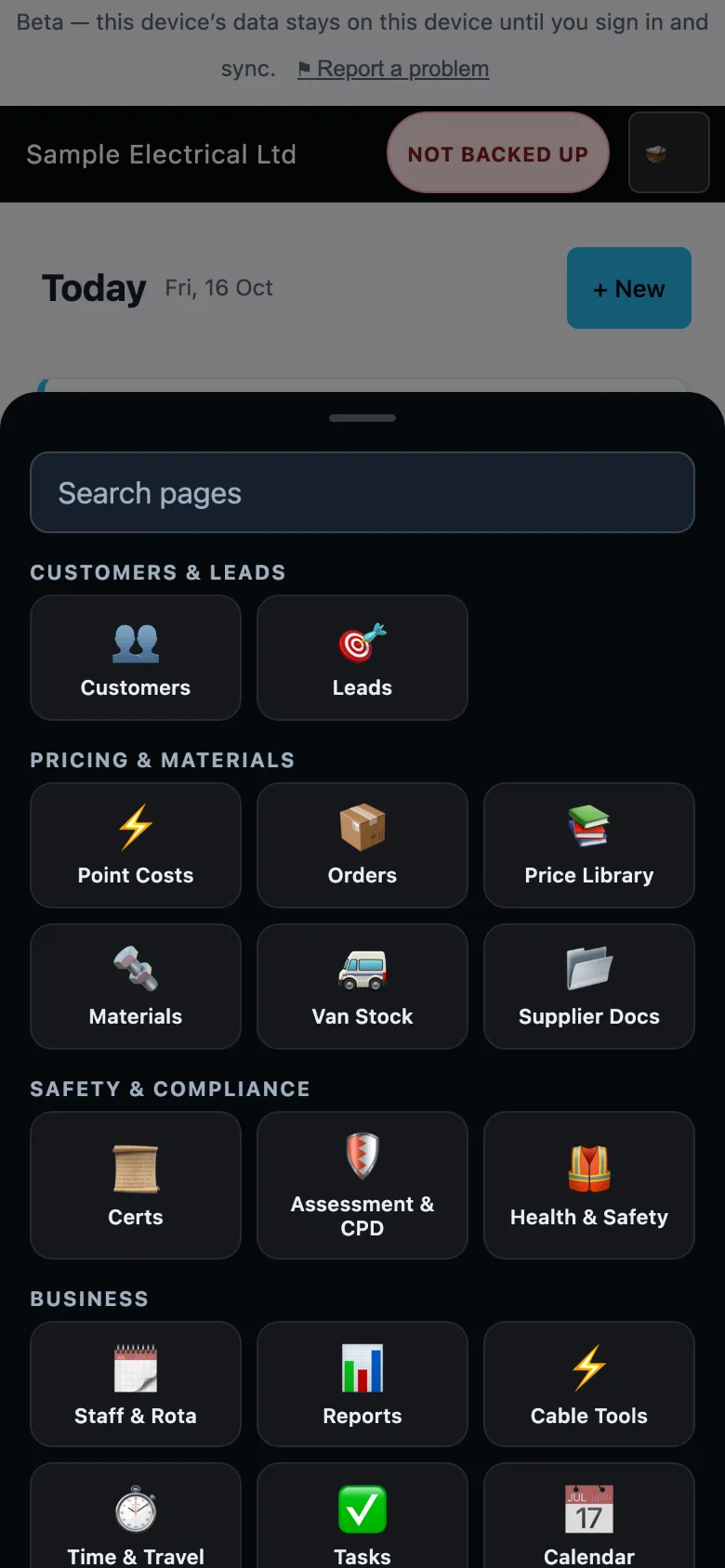
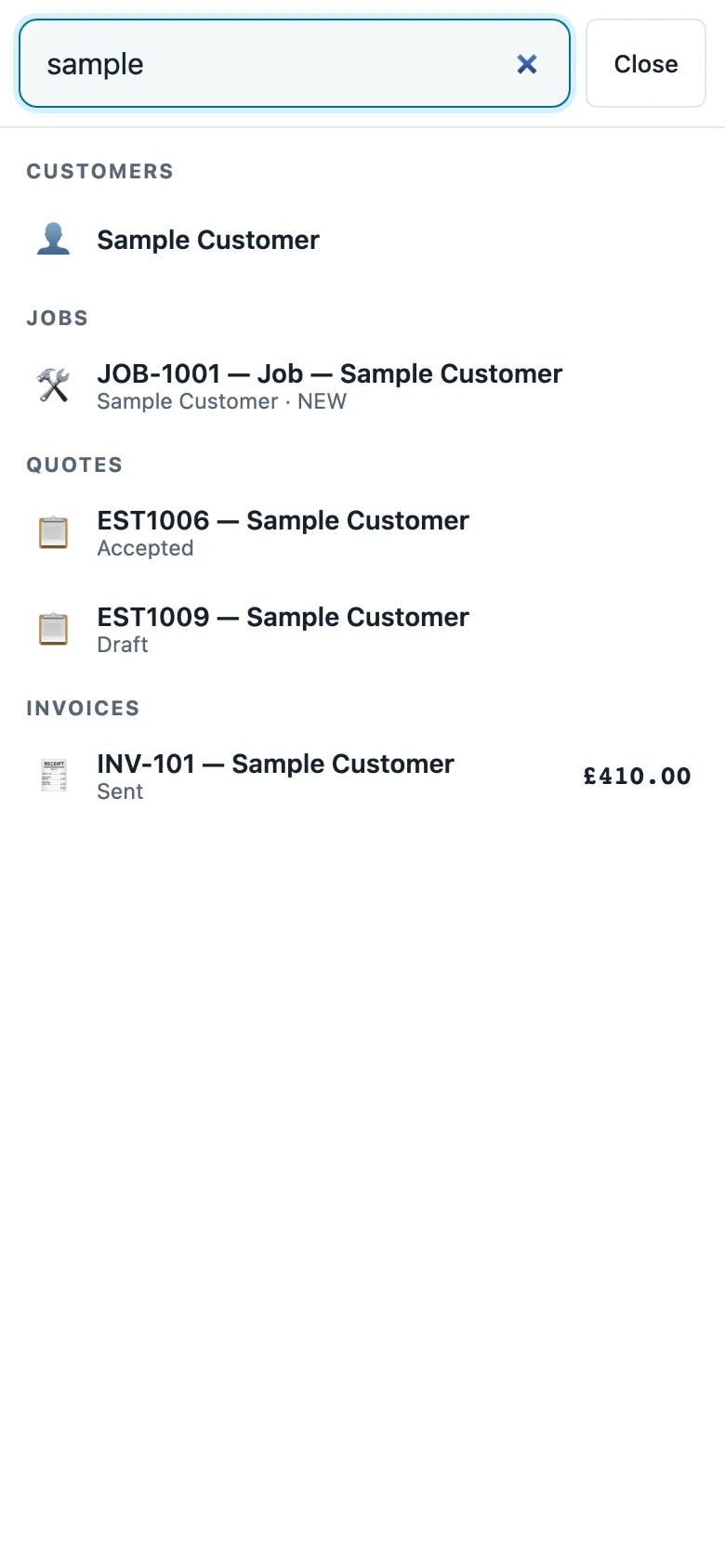
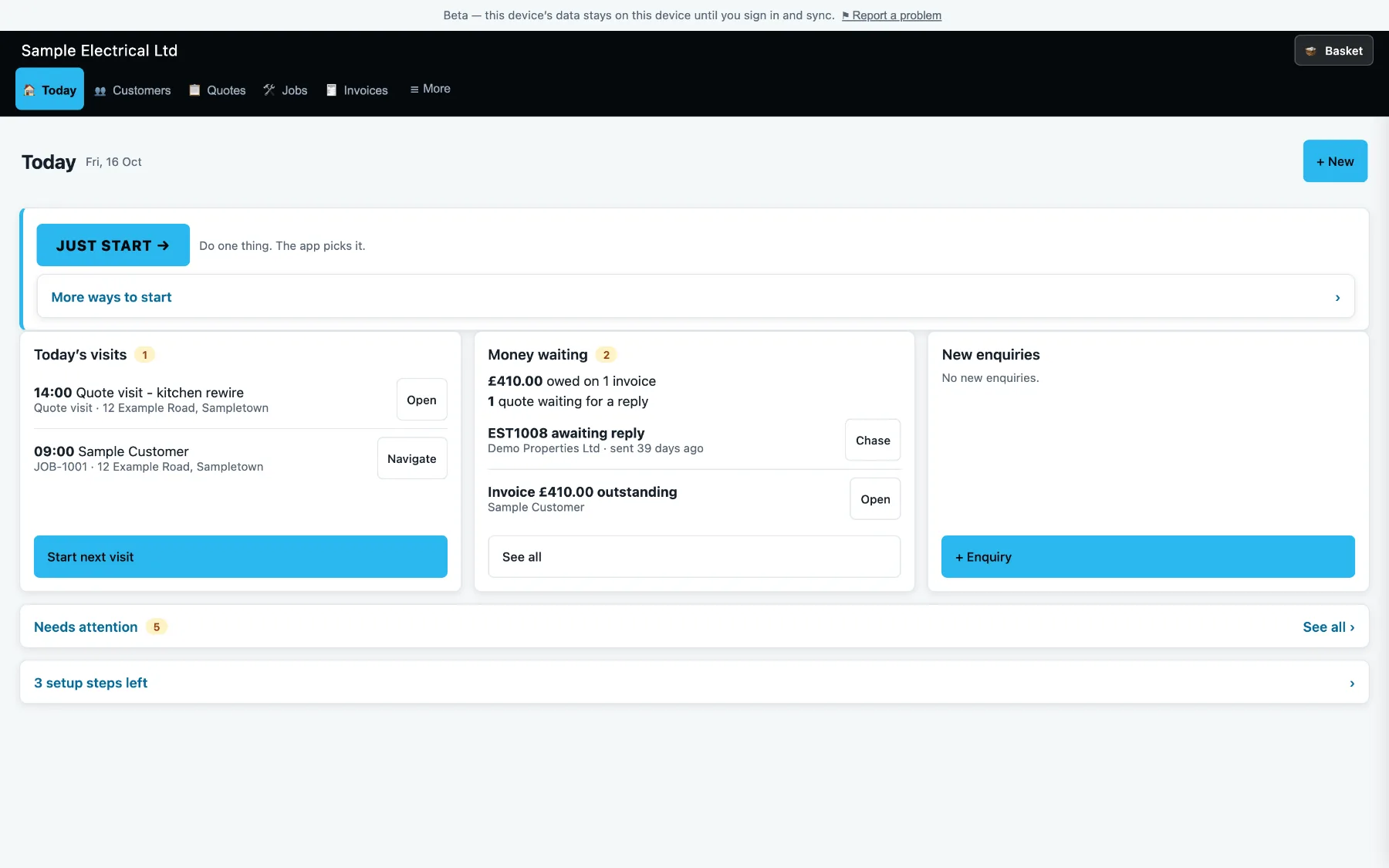
The home screen is Today: your visits, the money waiting to be chased, and a Just start button that picks the next thing to do. Five everyday tabs sit at the bottom, and everything else is in a grouped, searchable More menu.
- Today's visits, with a Navigate button to the site
- Money waiting: invoices owed and quotes awaiting a reply, with a Chase button
- Five everyday tabs and a grouped More menu
Quote room by room
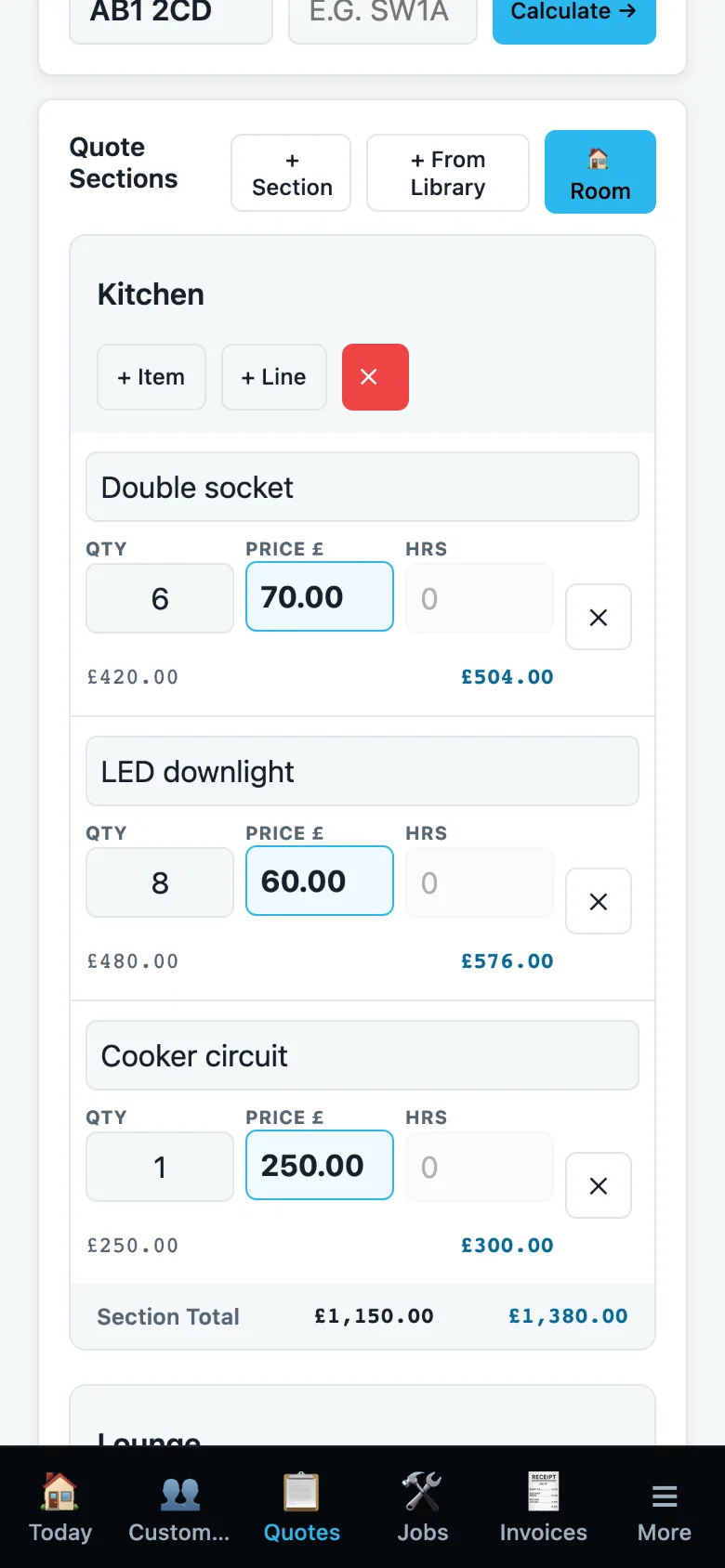
Build a quote one room at a time, with a line for each item. Start from a job type such as a rewire, add your own tasks, save drafts and keep the revisions. An accepted quote becomes a job.
- Rooms, sections and lines with quantity, price and hours
- Totals with VAT worked out as you type
- Save drafts, track revisions, share a quote for approval
Every job in one page, and a diary that knows who is where
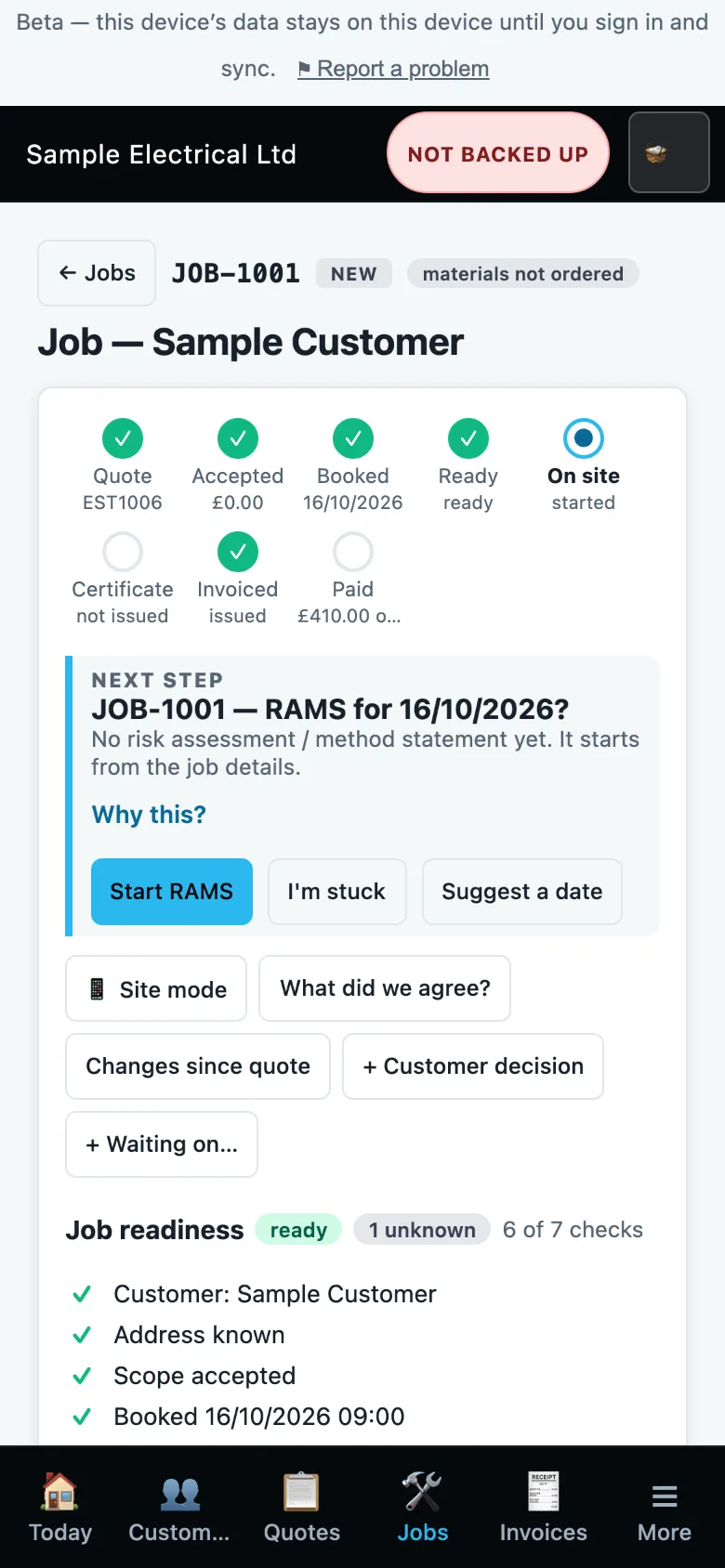
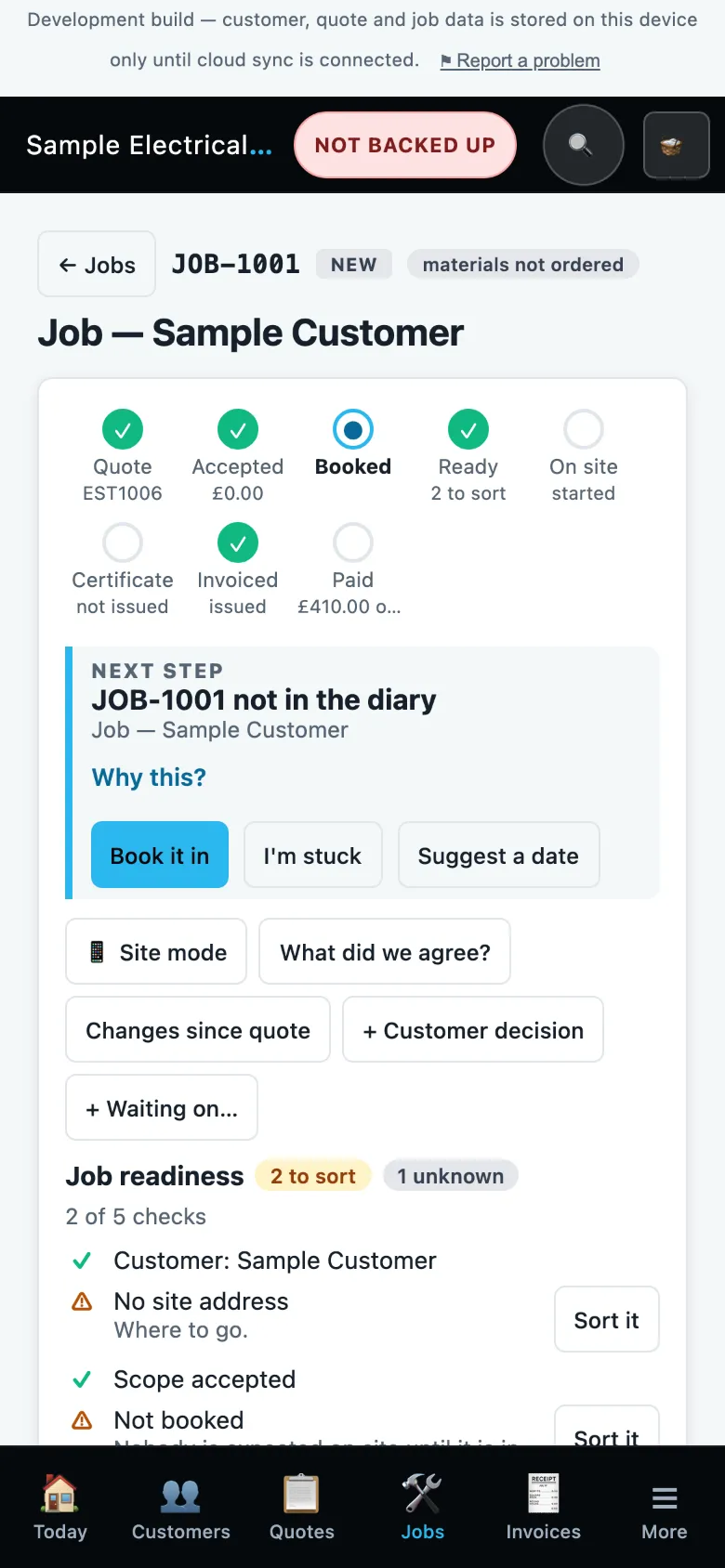
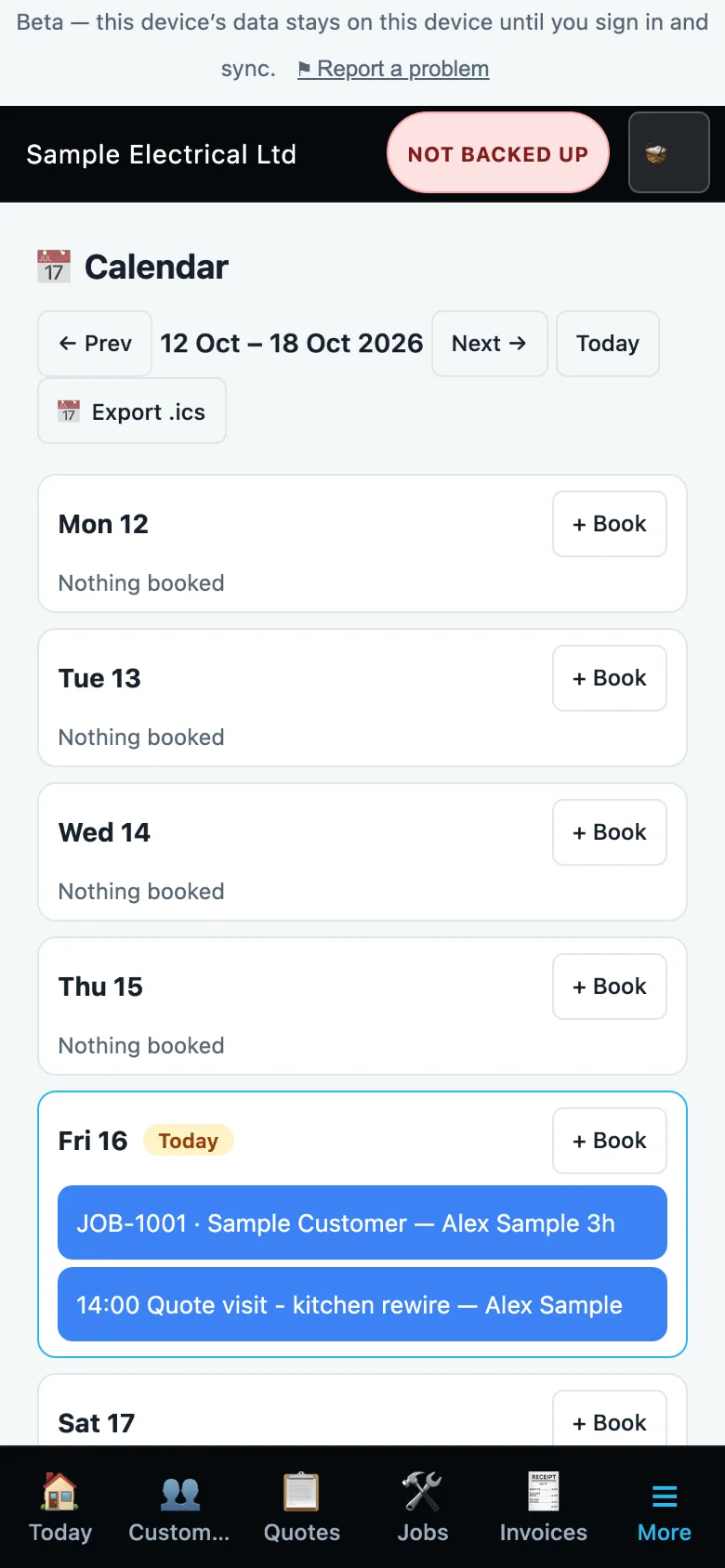
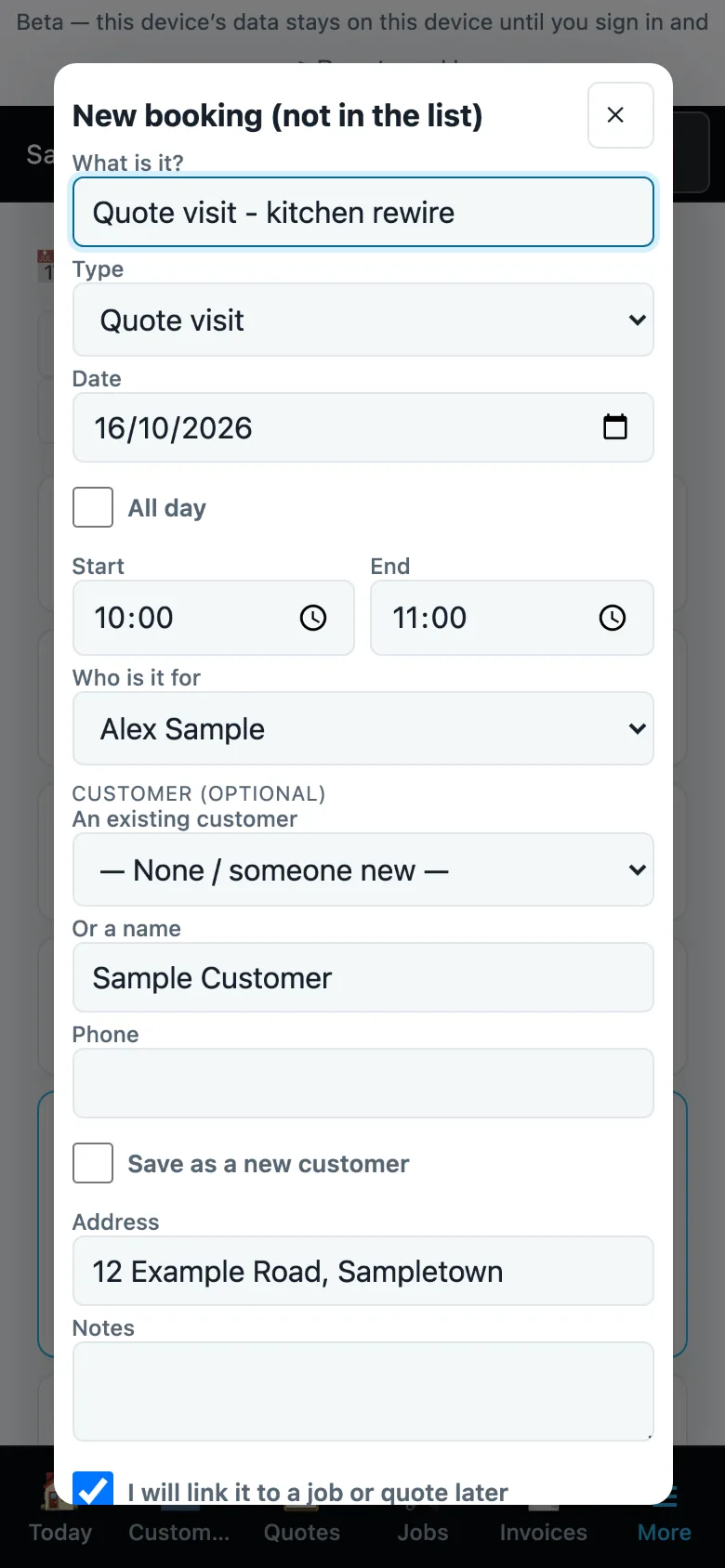
A job page shows where the job is up to and what the next step is. In the Calendar, + Book now has a New booking sheet for things that aren't in your list yet, such as a quote visit or a personal entry. Link it to a job or quote later, or save the person as a customer if you want.
- Job stepper and a "next step" card
- Calendar by the week, with staff assigned to visits
- New booking (not in the list), synced as a diary entry
Raise an invoice, send it, record the payment
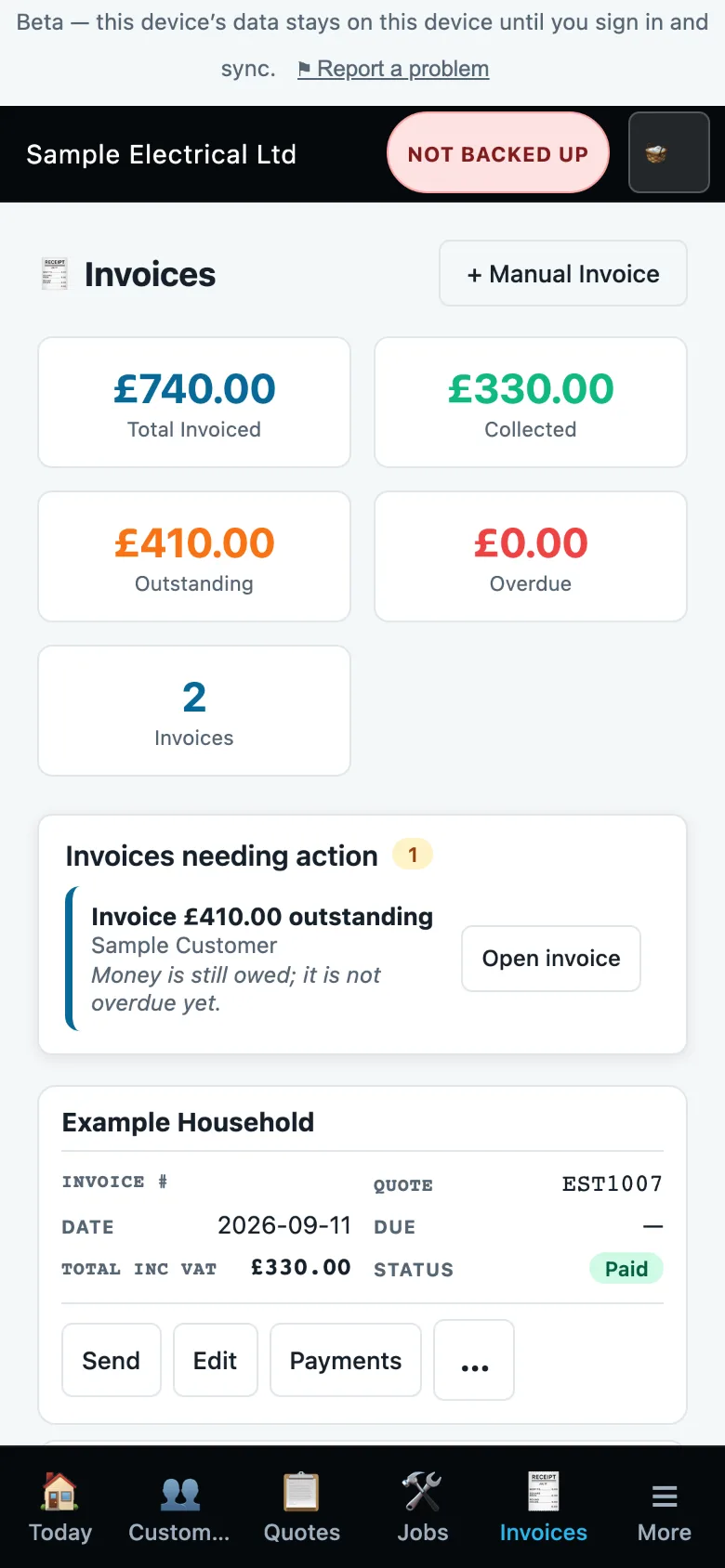
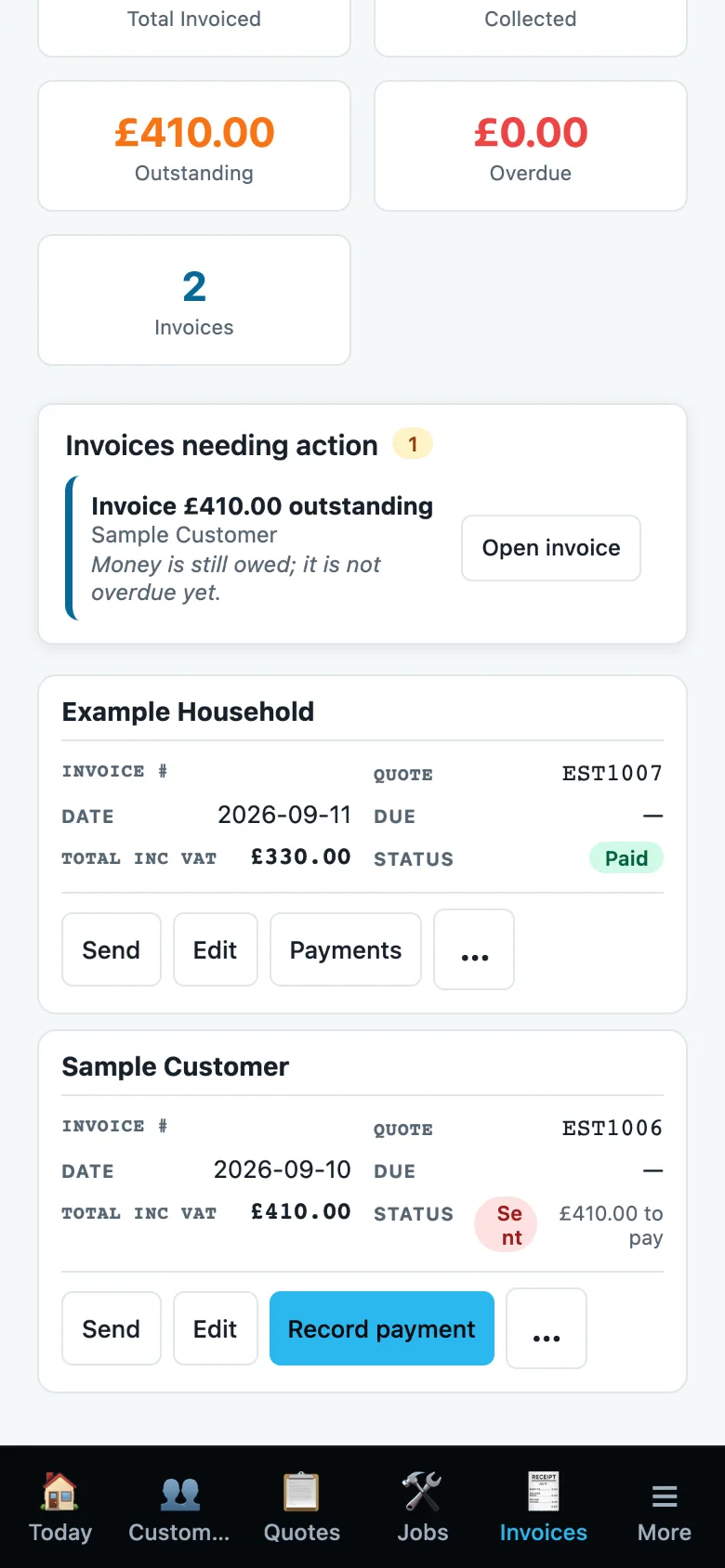
Raise an invoice from the job, send it, and record payments as they arrive, including part-payments. The invoice list shows what has been collected and what is outstanding.
- Send, Edit and Payments on every invoice
- Totals for invoiced, collected, outstanding and overdue
- Deposits, part-payments, credit notes and reminders
EIC, EICR and Minor Works, stage by stage
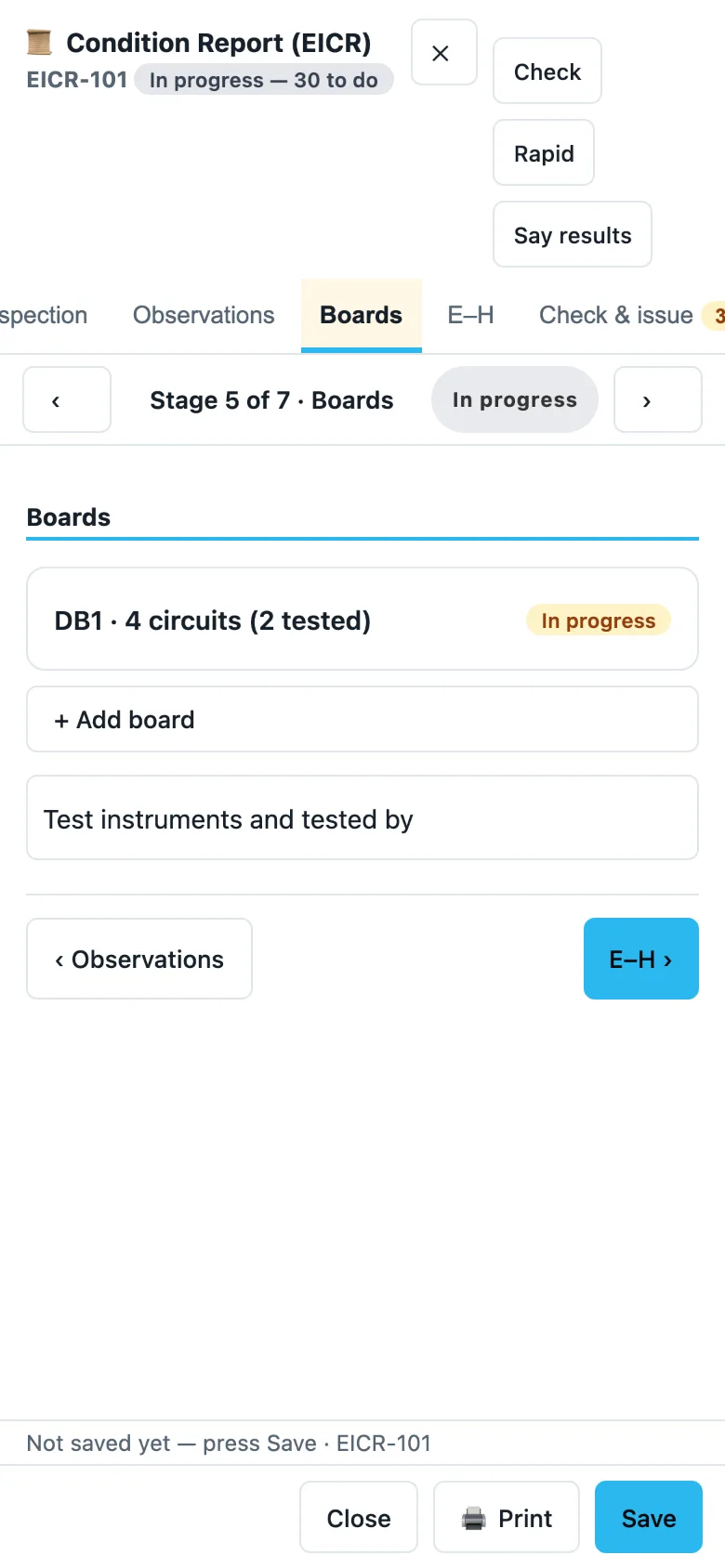
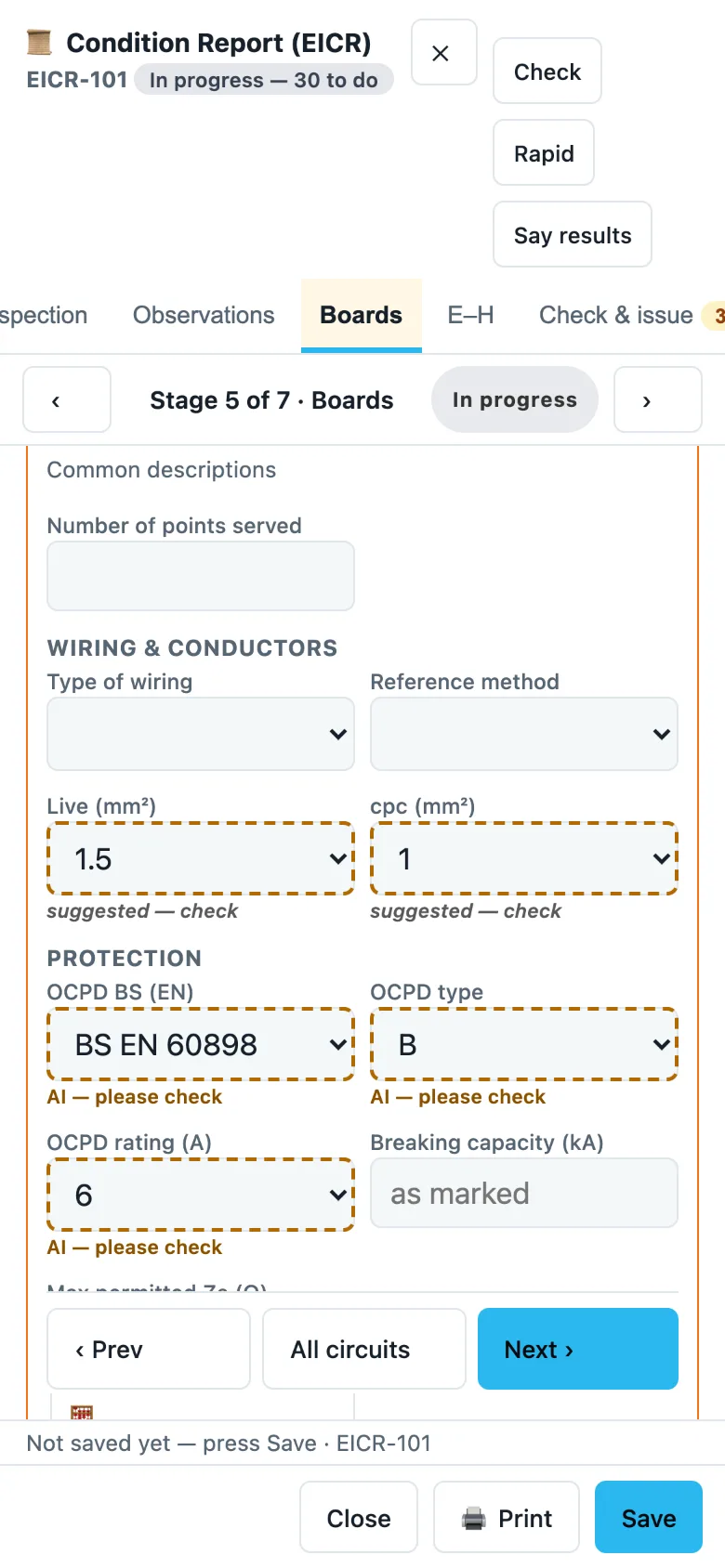
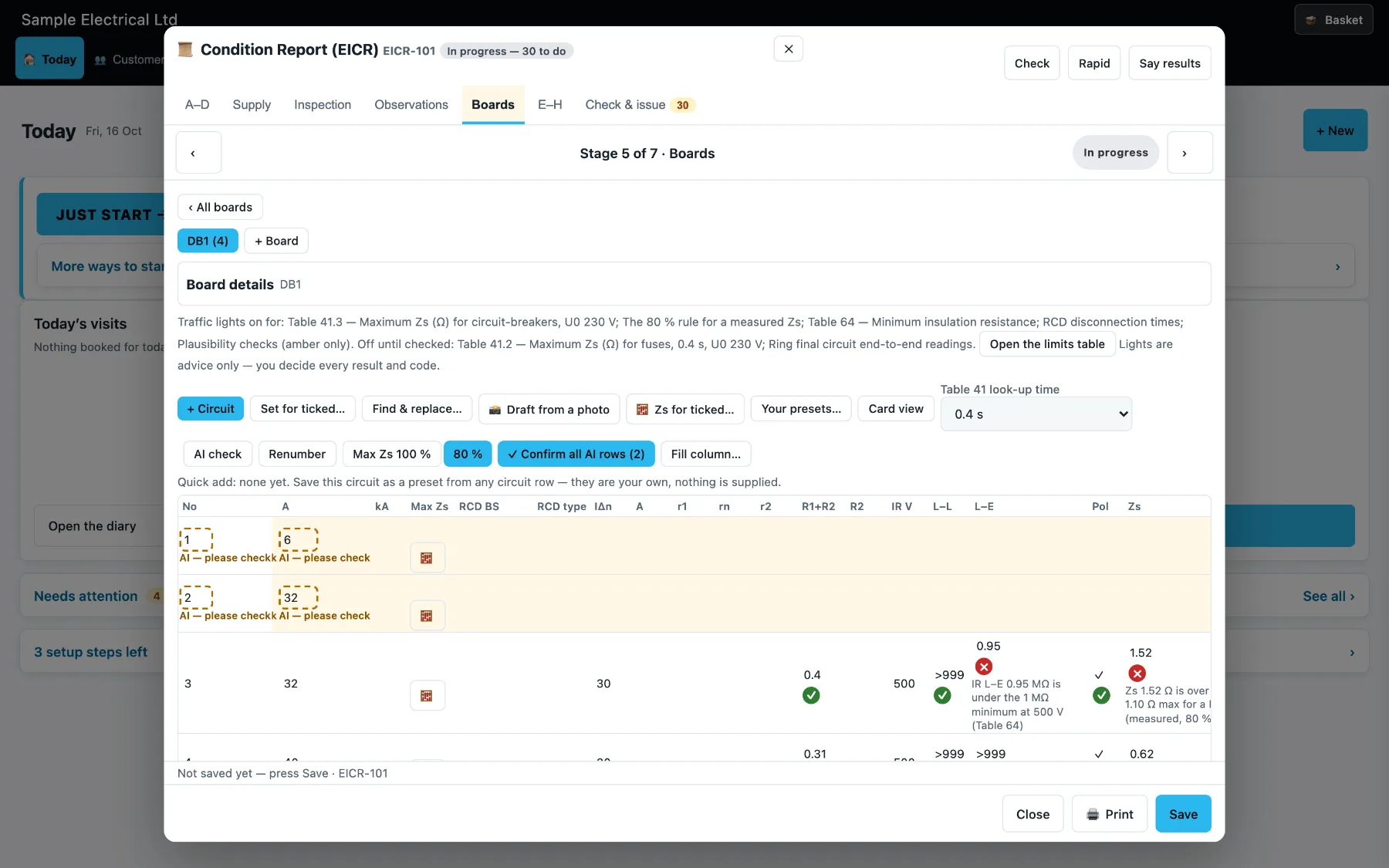
Each certificate is split into stages with ‹ › arrows, and a "Mark as done" chip when a stage is finished. The Boards stage lists each board with how many circuits are tested. In the inspection schedule you choose ✓, N/A or a code for each item, with "Set all" when you want it. You pick the tester used, and the app shows when its calibration is due.
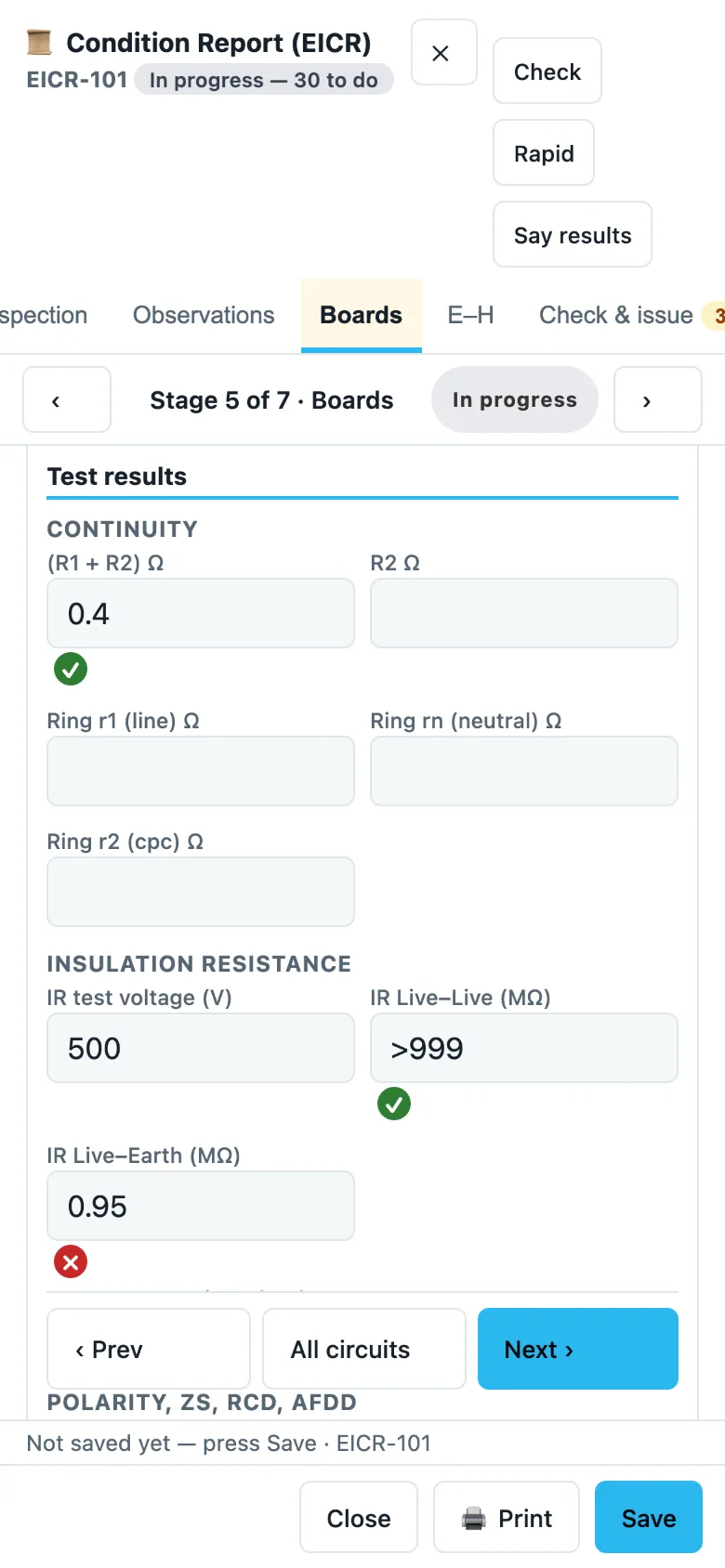
AI suggests, you check. Traffic lights flag test results that look wrong, using test limits you check first. They are advice only: you decide every result and code. Optional AI circuit capture reads a photo of the board or circuit chart and fills in circuits marked "AI — please check" for you to confirm. It never fills in test results.
- Boards list, saved phrases, next-inspection chips
- Quick-add circuit presets that you save yourself
- Green, amber and red lights on test results
- Photo to draft circuits (optional AI, switched on by you)
Your materials, your prices
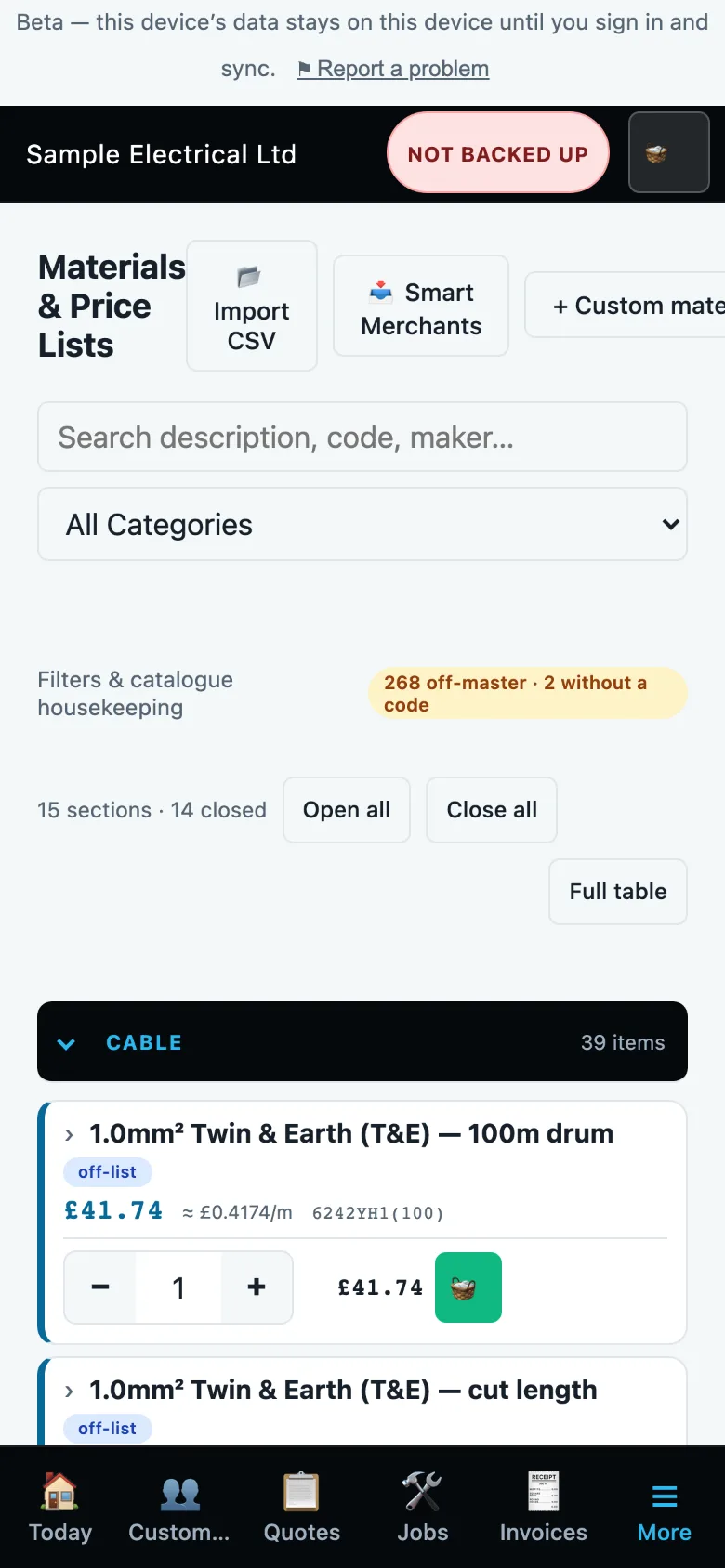
A materials list and price library that you control, so quotes use your own prices. Import a supplier price list, keep van stock and raise orders. Optional AI reading of a supplier invoice proposes the lines for you to confirm.
- Search by description, code or maker
- Price drift alerts after a price-list import
- Orders, purchase orders and delivery notes
Your data is yours
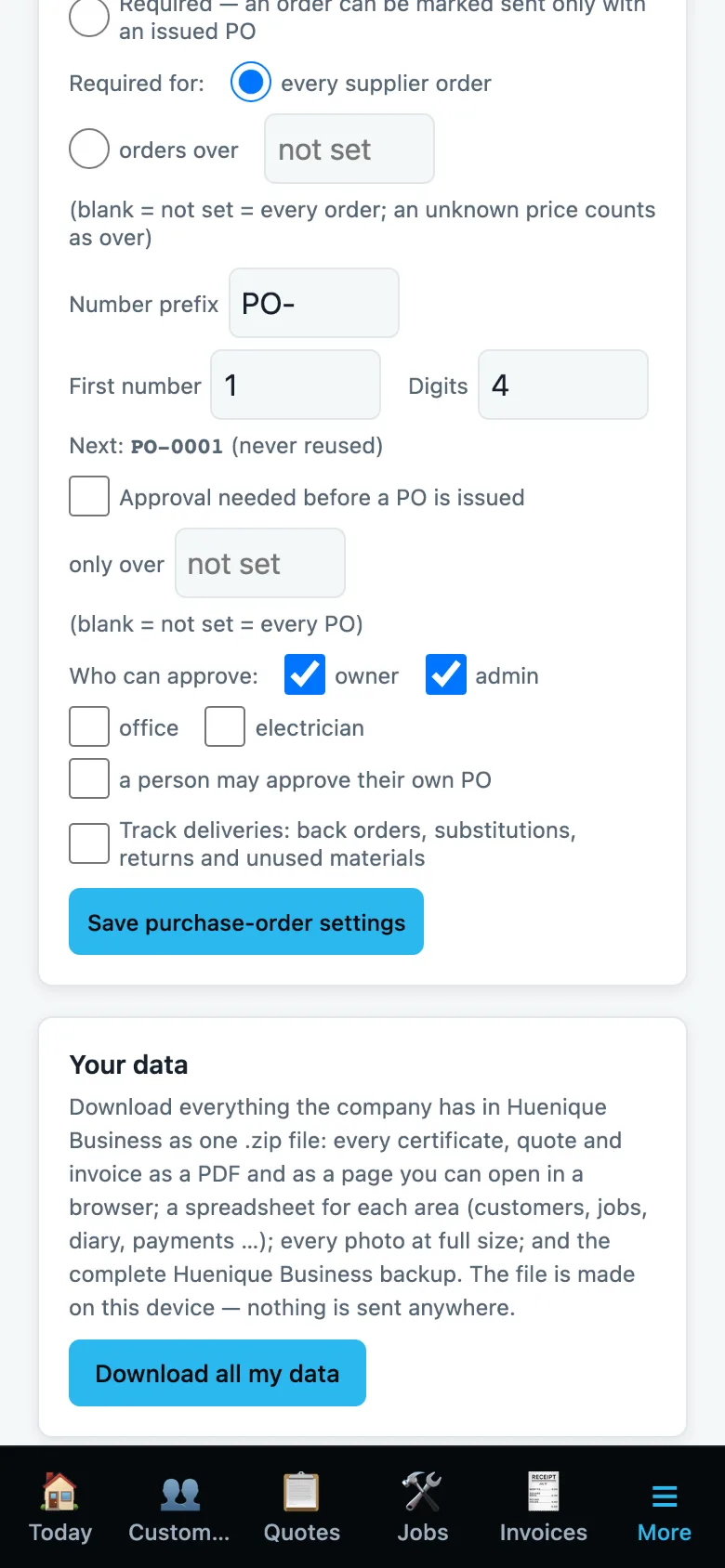
Download everything the company has in one file: every certificate, quote and invoice as a PDF, a spreadsheet for each area, your photos and a full backup. The file is made on your device and nothing is sent anywhere. Deleted items go to a recycle bin first.
- One button: Download all my data
- Backups and a data health check
Safety, your team, and a poor signal
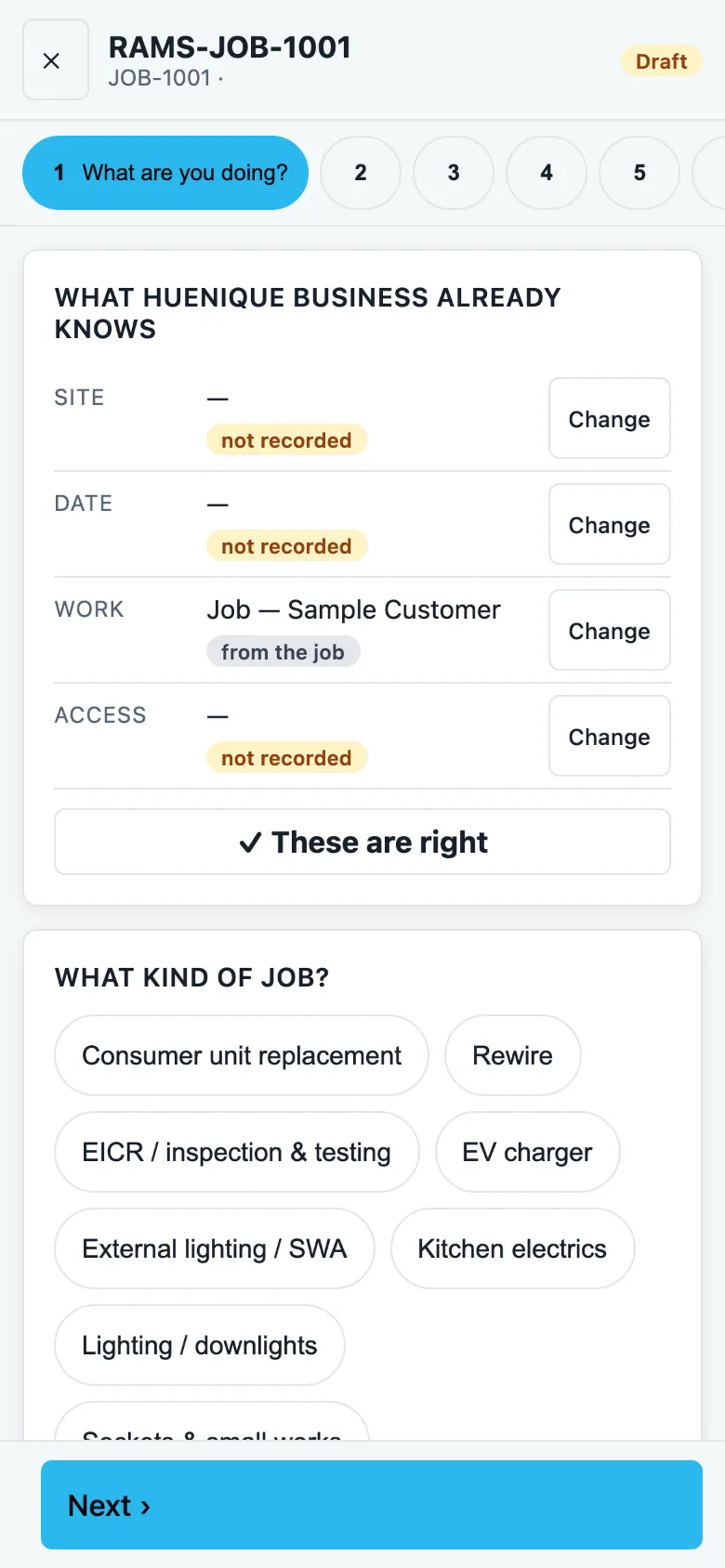
RAMS & H&S
Step-by-step RAMS with suggested hazards and controls, a health & safety library and site safety checks.
Team & roles
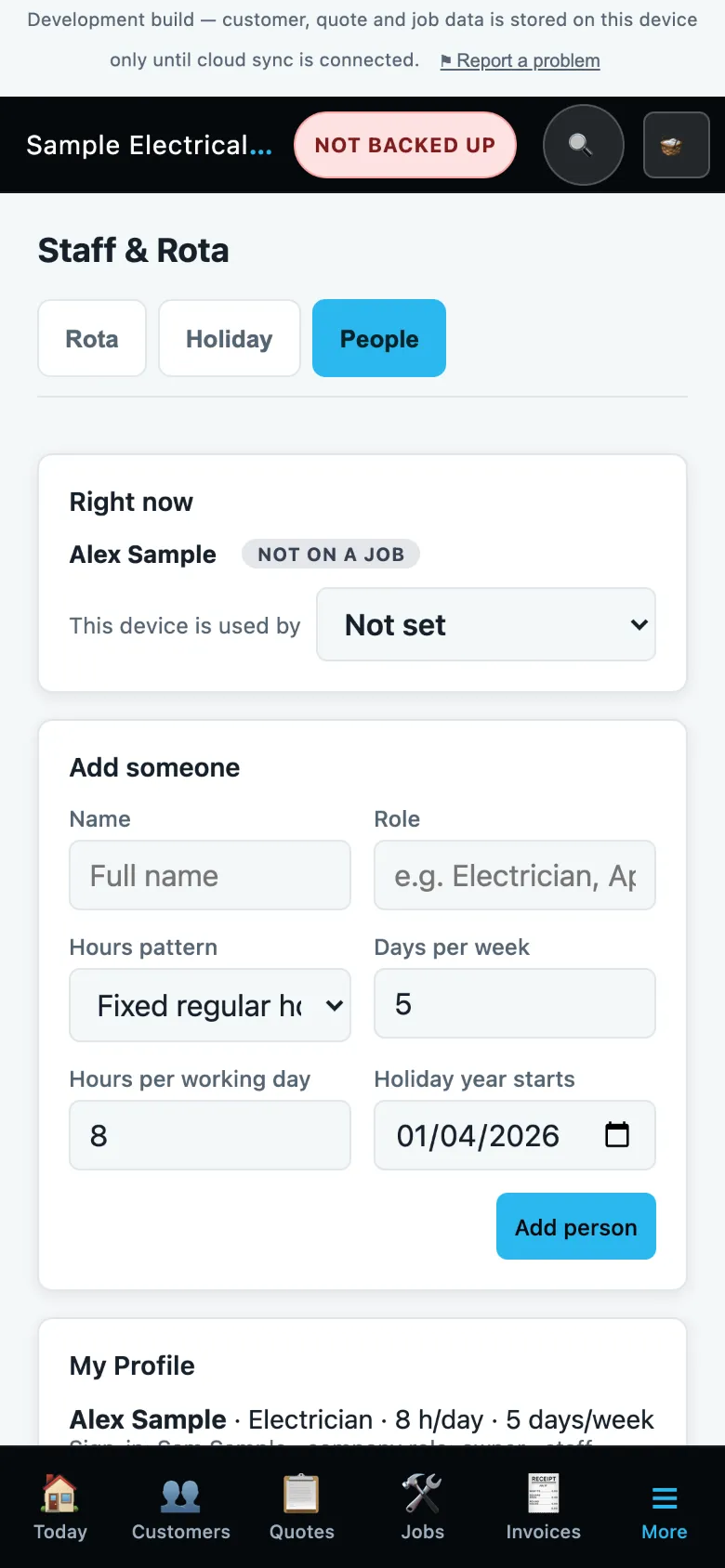
Give engineers the access they need. Engineers don't see prices. Invite people to your company.
Offline and in sync
Keep working with a poor signal. Your changes sync across phone, tablet and computer when you're back online.
Everything it does today
Tap a heading to open it. Anything marked AI is optional and switched on by you.
Customers & leads
- Customer list with search
- Enquiries and website enquiries in one place
- Call-back tracking
- Log of customer calls
- Reviews tracker: record Google reviews received and who is still to ask
Quotes
- Build quotes room by room
- Choose the type of job to start from, such as a rewire or consumer unit change
- Add your own custom tasks
- Quote and invoice templates, and your own terms & conditions
- Revisions and variations, with the history kept
- Share a quote for approval
- An accepted quote becomes a job
- Quote pipeline and win-rate figures
Jobs & diary
- Jobs with a stepper and a "next step" card
- Book visits in the diary and assign staff
- Calendar: add a booking that isn't in your list, such as a quote visit or a personal entry, and link it to a job or quote later
- Home screen with today's visits and a Just start button
- Site mode for the job in front of you
- Photos and notes kept with the job
- Calendar, and your diary in your phone's calendar
- Tasks
Time & travel
- Timer, with travelling / on site / left site statuses
- Travel zones and a travel and mileage cost calculator for quotes
- Job time analysis, to see where the hours go
Invoices & money
- Invoices from quotes or from scratch
- Deposits and part-payments
- Credit notes and voiding
- Payment reminders
- VAT checks before an invoice is issued
- Margin and overhead figures
Electrical certificates
- EIC, EICR and Minor Works certificates
- Stage by stage: ‹ › arrows to move between stages, and a "Mark as done" chip when a stage is finished
- Boards list showing each board's circuits and how many are tested
- Circuit schedules with fast test-result entry, and quick-add circuit presets you save yourself
- Inspection schedule buttons (✓, N/A or a code), with "Set all" when you choose to
- Saved phrases and next-inspection chips
- Choose the tester used, with its calibration due date
- Maximum Zs values
- Traffic-light checks on test results, and test limits you check first
- AI circuit capture: a photo of the board or circuit chart fills in the circuits for you to check Optional AI feature, switched on by you
- Signatures on certificates
- Print or save as PDF
Safety
- RAMS with suggested hazards and controls
- Health & safety library
- Site safety checks
Materials & purchasing
- Price library and materials list
- Supplier price-list import, with price drift alerts
- Orders and purchase orders
- Delivery note import
- AI reading of supplier invoices and price lists: proposes the lines for you to confirm Optional AI feature, switched on by you
- Supplier documents
- Van stock
- Point costs for common circuits and outlets
- Cable reference tools
Team
- Staff, rota and time off
- Roles: engineers don't see prices
- Invite people to your company
- "My day" view for each engineer
Business
- Reports
- CPD records and qualifications
- Documents and templates
- Business details, rates and defaults
Your data
- Works offline and syncs across phone, tablet and computer
- Download all your data at any time
- Backups and a data health check
- Deleted items go to a recycle bin first
AI suggests. You check and confirm.
Electrical paperwork has your name on it. Your prices and test results are yours. AI features are optional and switched on by you; they only make suggestions, and you check and confirm everything before it is saved. You stay responsible for what you sign.
- Test results are entered, or confirmed from a photo, by the person testing
- Your prices come from your own price library
- Deleted items go to a recycle bin first
- Download all your data at any time. See our privacy policy for where data is held and who processes it
Not available yet
We're building these now. They are not in the app yet.
AI phone answering
Answers calls and drafts a job for you to check. Callers will be told.
Online payments and a customer link
Customers can view, accept and pay online.
Xero / QuickBooks link
Connect the app to your accounting software.
Other trades
Plumbers, builders, decorators and more.
GPS arrival and mileage
Log arrival on site and mileage.
iPhone and Android apps are planned
Today it works in your browser on any device and can be added to your home screen. We'll say here when the store apps are ready.
Free while in development
Free while in development / early access. Plans and prices will be announced before launch. Prices will show whether VAT is included.
About Huenique Business
When can I get it?
Huenique Business is in development and open to a small number of invited users. It is built by a working electrician at Huenique Electrical. Join the waiting list and we'll be in touch. If you already have access, use Sign in at the top of this page.
Which devices does it work on?
iPhone, iPad, Android phones and tablets, and Mac or PC. It runs in your browser, and you can add it to your home screen. There are no App Store or Google Play apps at the moment; iPhone and Android apps are planned.
Does it work without signal?
It's designed to keep working with a poor or no signal once it has loaded on your device, and it syncs your changes when you're back online. Open it on each device while you have signal first.
Who is it for?
Electricians, from sole traders to small firms with office staff. It's designed around UK electrical work: BS 7671 certificates, EICR observation codes, RAMS and the way a small contractor actually runs their day.
What happens to my data?
Your data is yours, and you can download all of it at any time. It is held on servers in London with backups in the EU. Optional AI features, when you switch them on, send the relevant document to an AI provider to process. Our privacy policy explains who handles what.
Join the Huenique Business waiting list
Leave your details and we'll be in touch about the app.
Huenique Business is a trading name of Huenique Ltd (company no. 15821349).